Watch Training Content on Your TV
0208_02

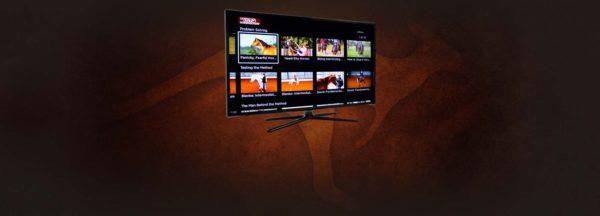
Did you know that you can stream the Method on Apple TV, Android TV, and Amazon Fire? Not only can you view training content on your mobile device and computer, but you can also view all of the video content on your TV by simply adding the Downunder Horsemanship streaming app to your device. You’ll use the same login information you use for the Downunder Horsemanship app and the No Worries Club website to access your content.

From No Worries Club videos to training kits, you’ll be able to use your remote to play, rewind, fast forward and stop training content from the comfort of your couch.

How to Add the Downunder Horsemanship Channel to Your Account

To add the Downunder Horsemanship channel to your account if you’re using Apple TV, Android TV or Amazon Fire, perform a search for “Downunder Horsemanship.” When the channel appears, click on it to add it to your lineup.

More News

Back to all news

See All
FILES2f20162f072f0719_06.jpg.jpg

10 years ago

Misconceptions in Selecting Forage for Horses — Rained On Forage

By Dr. Stephen Duren, Performance Horse Nutrition and Standlee Premium Western Forage® Nutritional Consultants Forage in the form of hay…

Read More
0128_01

2 years ago

We Want to Help You Raise Funds for Your Equine Organization

At each Walkabout Tour, we team up with our featured sponsor Ritchie Industries to find a local non-profit organization to…

Read More
FILES2f20162f052f0503_03.jpg.jpg

10 years ago

No Worries Spring Journal

The spring edition of the No Worries Journal features Clinton’s standout broodmare Princess In Diamonds. In January, Princess was inducted…

Read More
DUHapp_QA

8 years ago

What if I don’t have a mobile device? How do I view a digital kit?

A: All of the digital content you purchase can be viewed through the Downunder Horsemanship website using a computer. To…

Read More